

How do I enable API access?

You need to enable API access from your account in the GSTN portal to connect Zoho Books with the GSTN portal securely.
To enable API access:
Log in to GSTN portal at www.gst.gov.in.
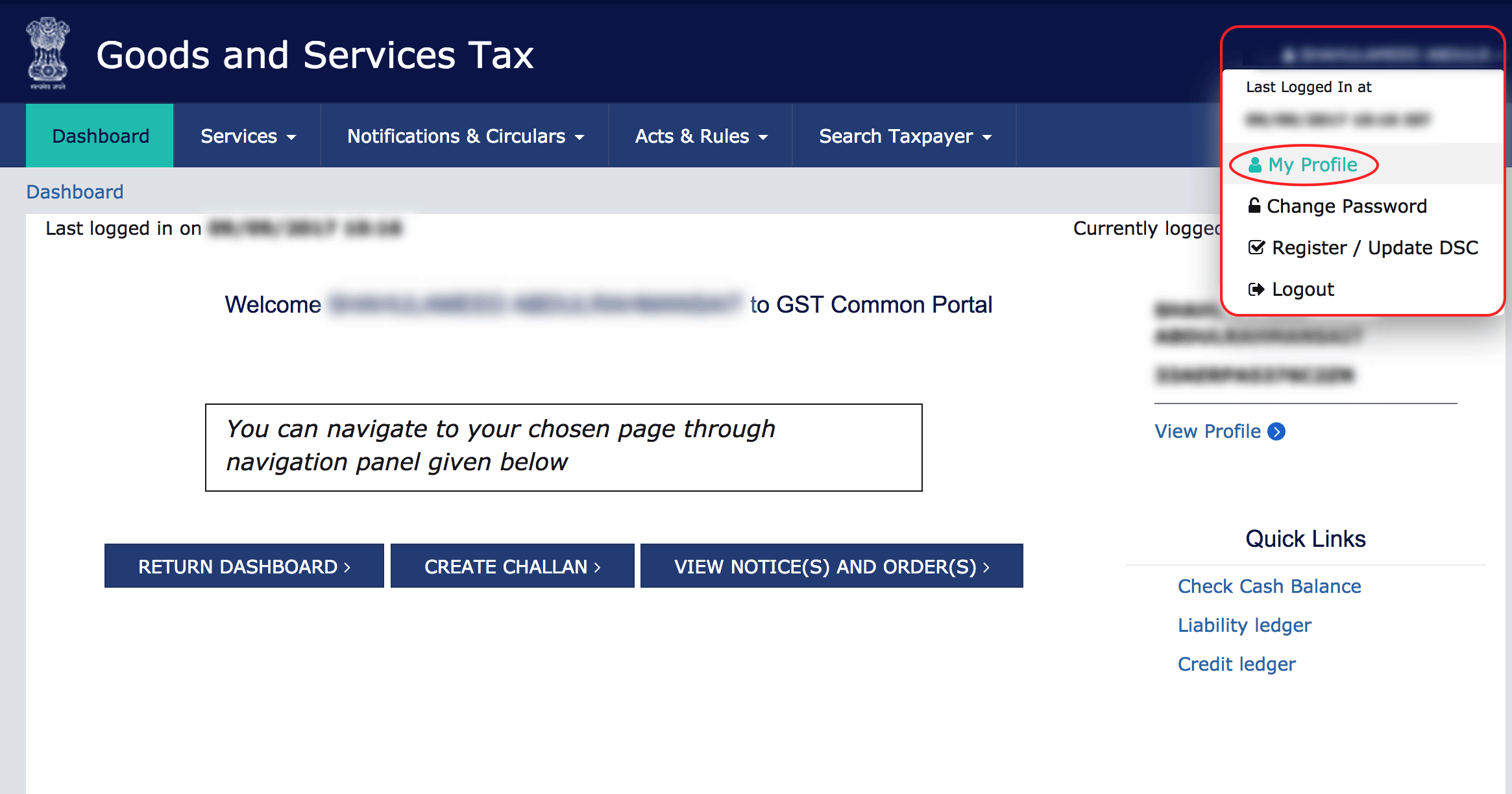
Click your name in the top right corner of the page and select My Profile.
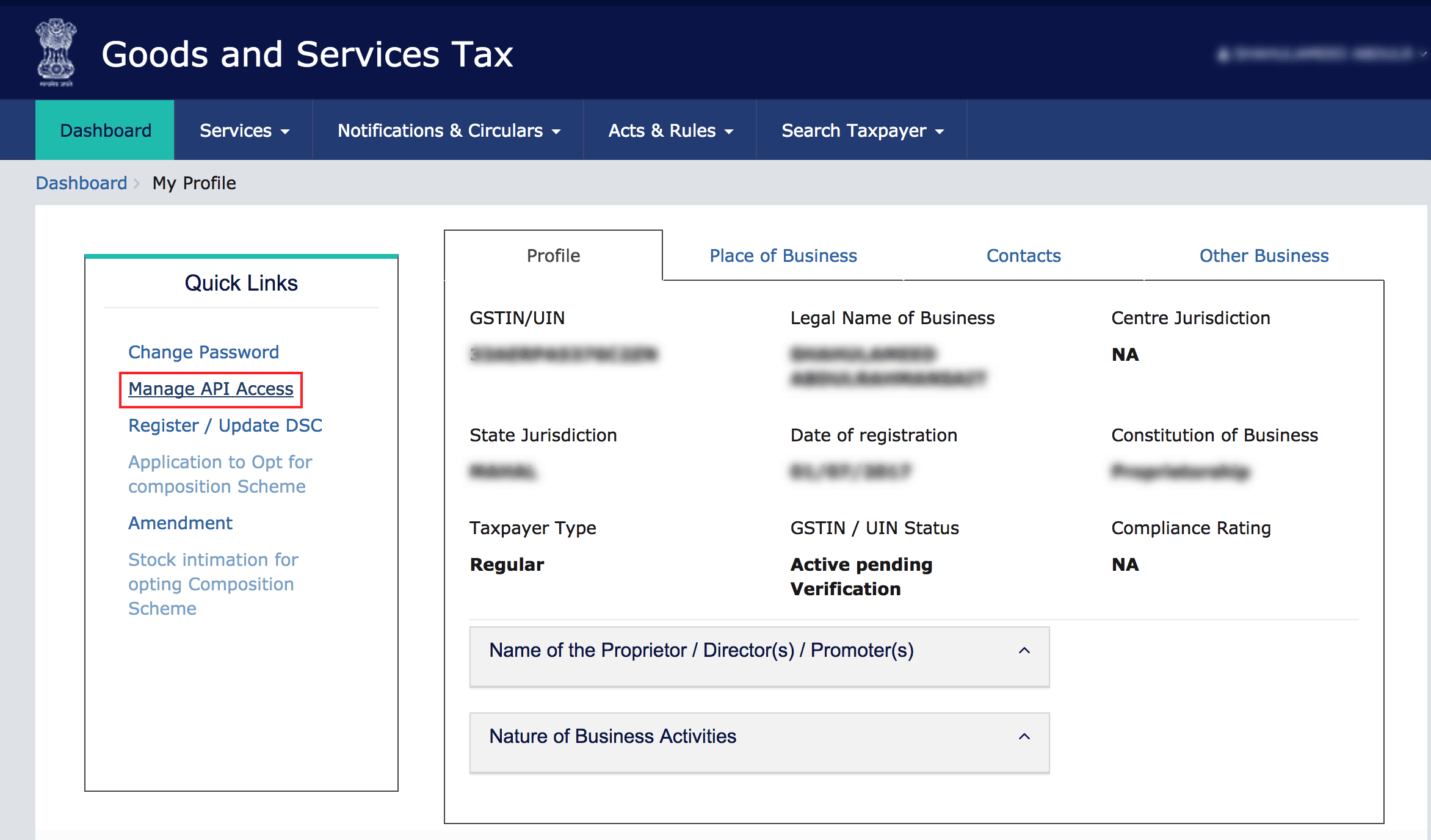
Click the Manage API Access from the Quick Links.
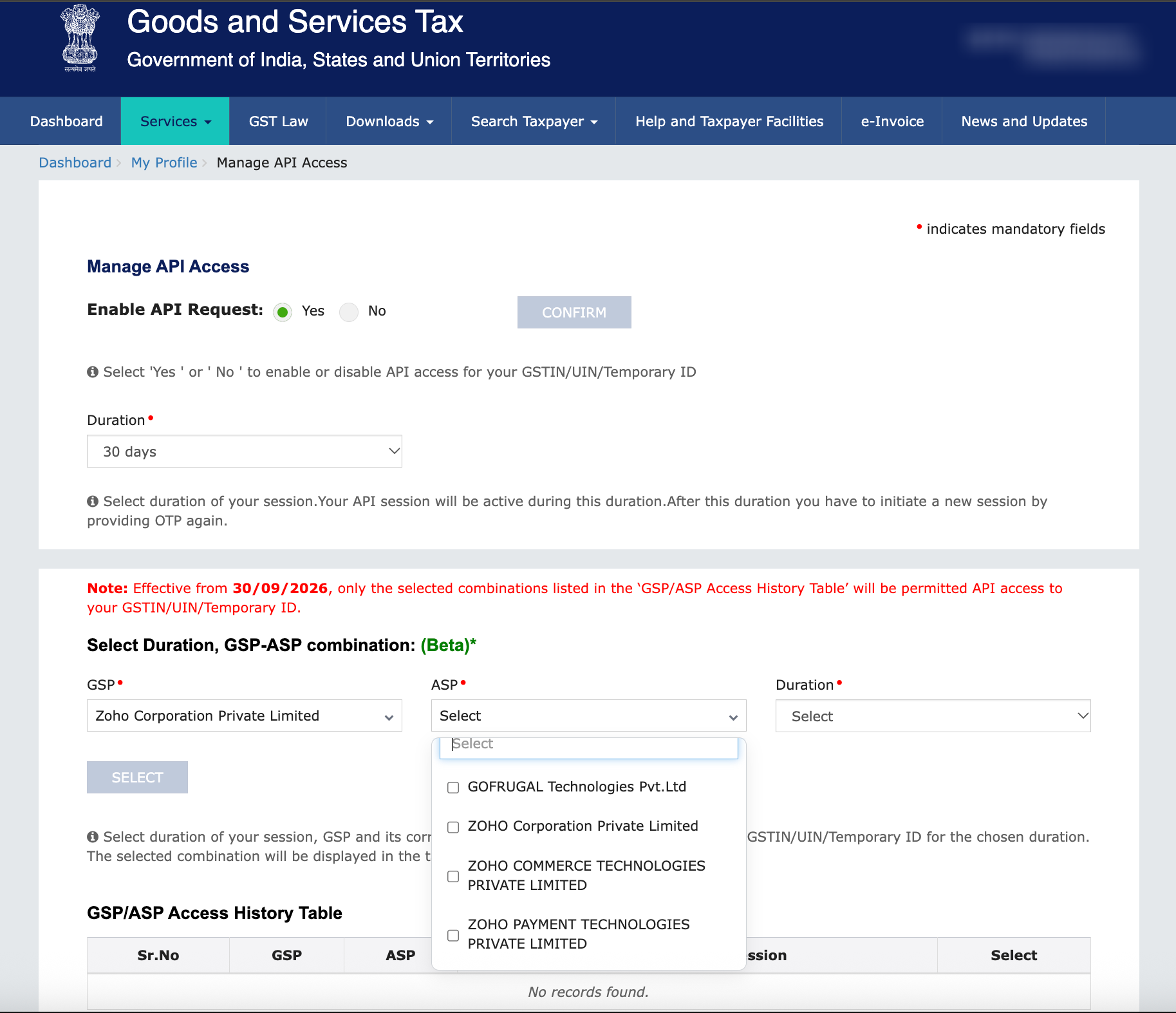
- Click CONFIRM.
- Click Yes and select a duration from the dropdown.
- Under Select Duration, GSP-ASP combination:
- Select GSP as Zoho Corporation Private Limited.
- Select ASP as ZOHO Corporation Private Limited.
- Select Duration as 30 days.
 Yes