



Tally XML Exporter for Zoho Invoice
If you are using Tally for accounting, you can now easily export your Zoho Invoice data in Tally XML format and import it into your Tally account. With the Export Data in Tally XML Format extension, you can easily generate Tally-compatible XML files for your invoices and other transaction data. Once installed, you can export master and transaction files from Zoho Invoice and directly import them into Tally.
Note: This feature is currently in early access. Reach out to our support team at support@zohoinvoice.com to enable this feature for your organization.
Install Tally XML Exporter Extension
Insight: If one user installs the extension, it becomes available to other users in the organization on their system. To enable the extension in your system:
- Go to Settings and select Marketplace.
- Navigate to the Installed Extensions tab.
- Click View Details under Export Data in Tally XML Format extension.
- Hover over Tally XML Connection and click Connect.
To export transactions in Tally XML format, you have to install the Export Data in Tally XML Format extension in your organization. Here’s how:
Log in to your Zoho Invoice organization.
Go to Settings and select Marketplace.
Search and select Tally XML Exporter.
Click Install at the top band.
In the pop-up that appears:
- Verify your details in the Use of Personal Details section.
- Read and agree to the terms and conditions of your vendor and Zoho Marketplace.
- Click Install to proceed with the installation of the extension.
On the following page, select the organization for which you want to install the extension from the dropdown next to the Organization field.
Mark the I agree to the Terms and Conditions of the integration, and authorize Tally XML Exporter to access and process my data as needed option.
Click Install Extension.
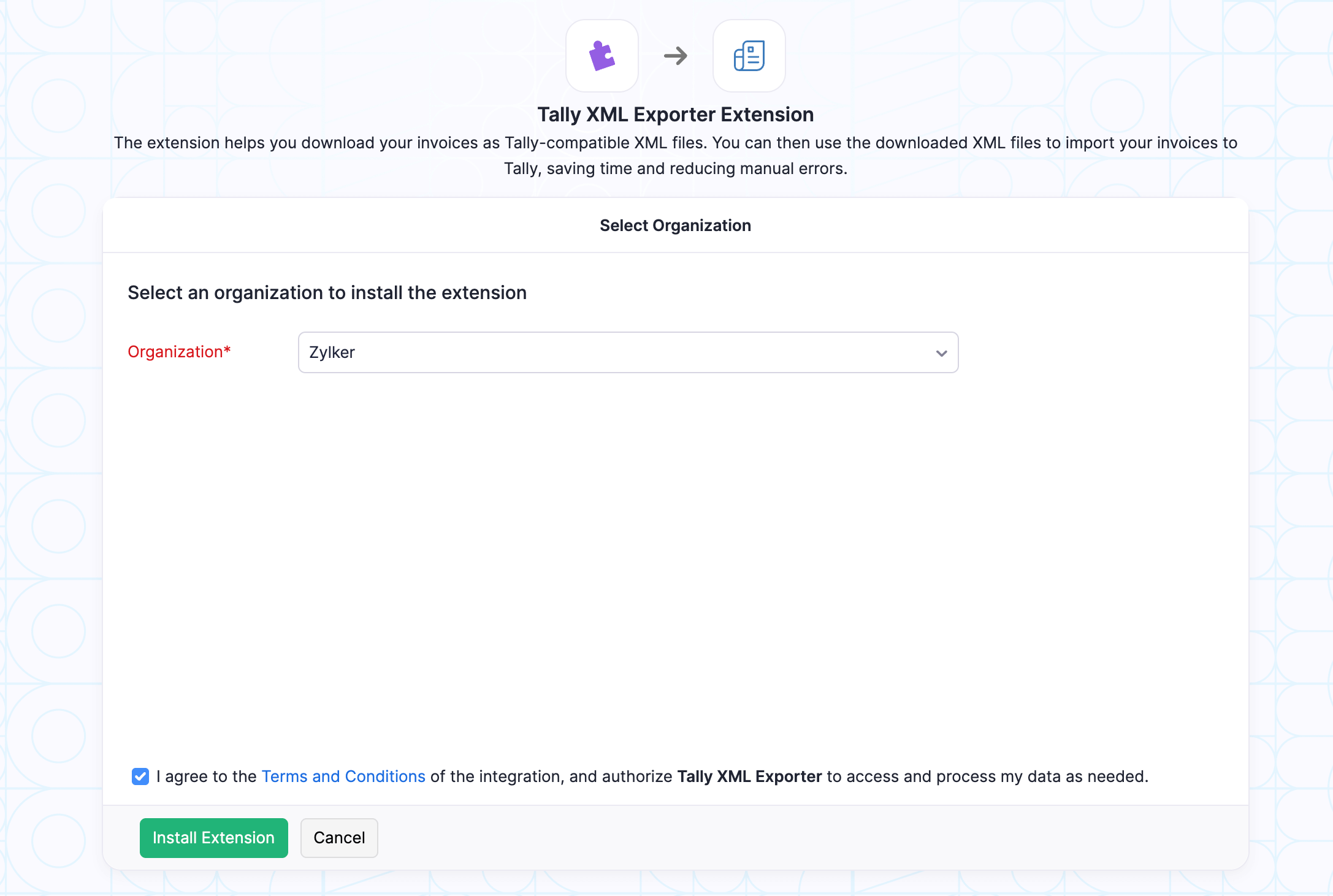
The Export Data in Tally XML Format extension will be installed in your Zoho Invoice organization.
Export Tally XML Files from Zoho Invoice
You can export invoices in Tally XML format. Here’s how:
Go to Invoices from the left sidebar.
Select the invoices which you want to export.
Click Export in Tally XML Format at the top.

Once exported, two XML files will be generated:
- Master XML file – Contains item, account, and customer details.
- Transaction XML file – Contains the invoice details.
Import Data in Tally
Here’s how you can import the generated XML files in Tally:
Log in to your Tally account.
To import master XML file:
- Click Import at the top.
- Select Masters under Company Data.
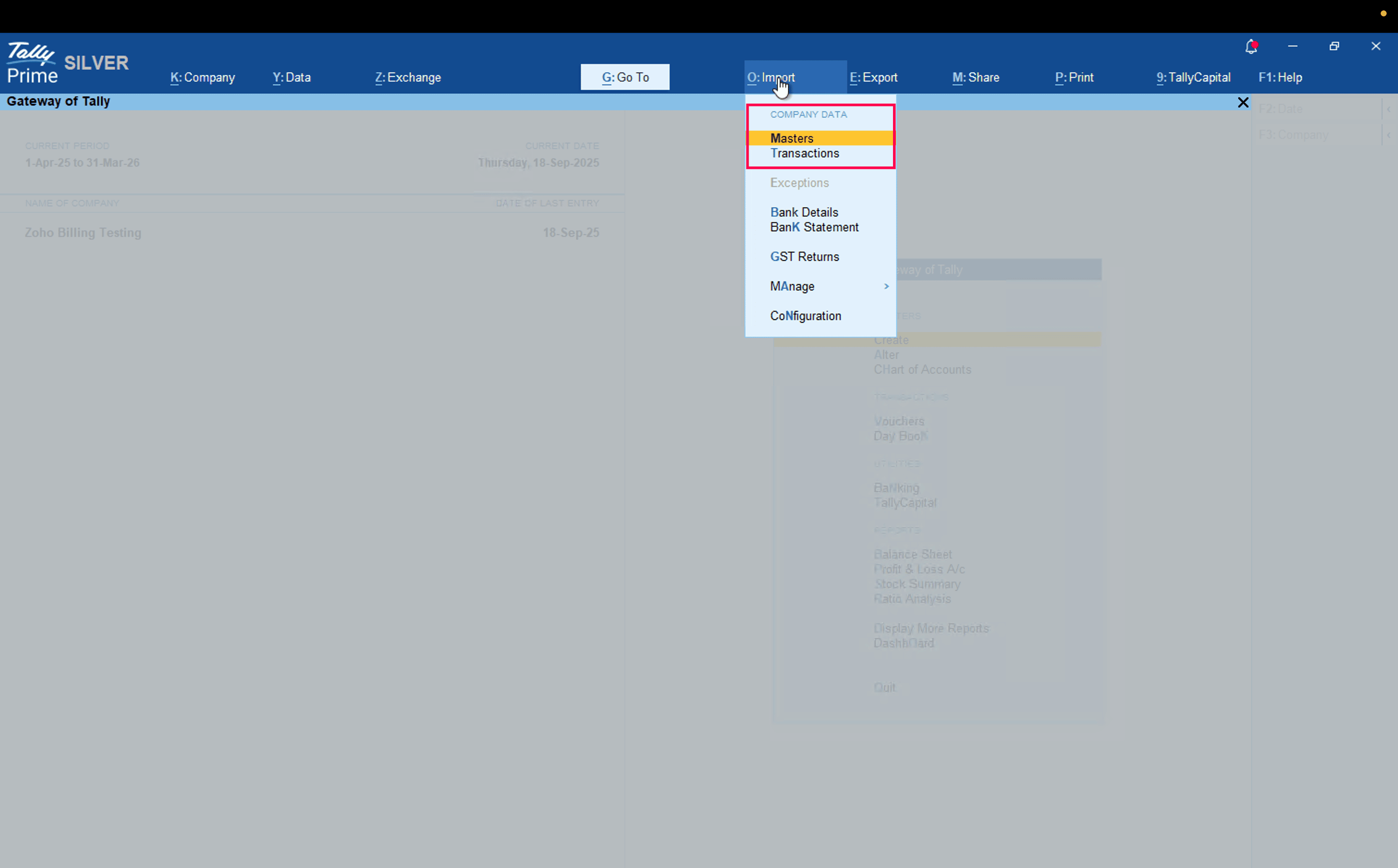
- Select the master XML file you want to import.
- Enter the other required details and press Enter.
To import transactions XML file:
- Click Import at the top.
- Select Transactions under Company Data.
- Select the transactions XML file you want to import.
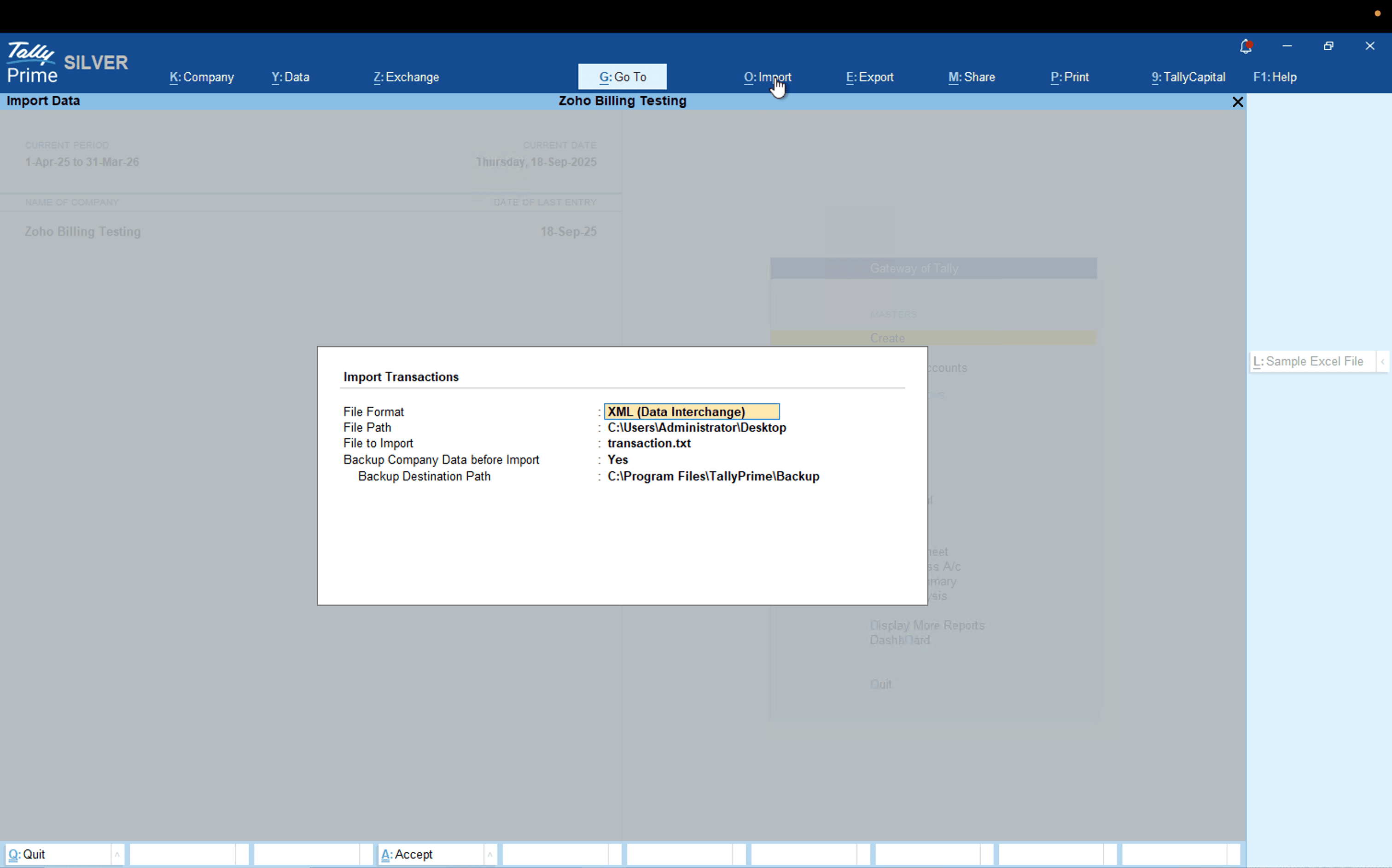
- Enter the other required details and press Enter.
Once completed, the data will be imported into Tally. Any missing records will be automatically created as new entities in their respective modules.
Uninstall Tally XML Exporter Extension
If you no longer want to export data in Tally XML format you can uninstall the extension. Here’s how:
- Go to Settings and select Marketplace.
- Navigate to the Installed Extensions tab.
- Click View Details under Tally XML Exporter extension.
- Click Uninstall at the top.
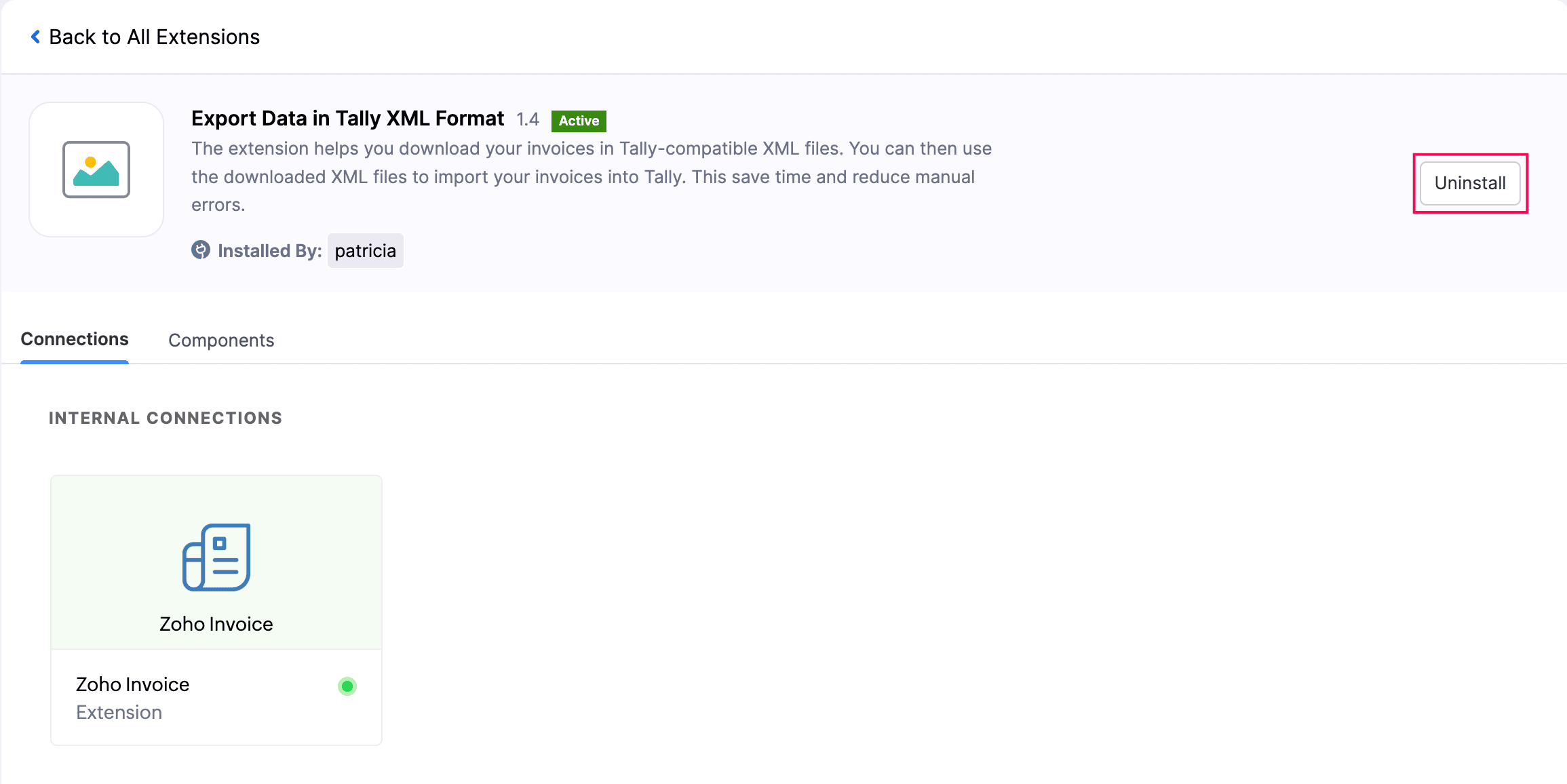
- In the pop-up that appears, click Yes.
The extension will be uninstalled from your Zoho Invoice organization.
 Yes
No
Yes
No
Thank you for your feedback!