
x
Finance Free Apps
EN

Editions and Languages

  • Australia
  • Bahrain
  • Canada
  • France
  • Germany
  • India
  • Kenya
  • Kuwait
  • Mexico
  • Nigeria
  • Oman
  • Qatar
  • Saudi Arabia
  • Singapore
  • South Africa
  • United Arab Emirates
  • United Kingdom
  • United States
Global
  • Inventory
    • SKU Generator
    • Purchase Order Generator
    • Calculate Reorder Point
    • Economic Order Quantity
    • Break-even Point Calculator
    • Inventory Turnover Ratio
    • Packing Slip Generator
    • Barcode Generator
    • Shipping Label Generator
    • Wholesale price calculator
    • Lead Time Calculator
    • Average Inventory Calculator
    • Inventory Cost Calculator
    • Finished Goods Inventory Calculator
    • Beginning Inventory Calculator
    • Handling Fee Calculator
    • Retail Price Calculator
    • Sales Forecast Calculator
    • Work in Progress Calculator
    • Wholesale margin calculator
    • GMROI Calculator
    • Weeks on hand Calculator
    • Raw materials inventory calculator
    • Moving Average Cost Calculator
    • Cost of goods sold calculator
    • Sell through rate calculator
    • Fill rate calculator
    • Cost price calculator
    • Carrying cost calculator
    • Days inventory outstanding calculator
  • Billing
    • Create Invoices
    • Generate Estimates
    • Create Receipts
    • Discount Calculator
    • Revenue Forecast
    • Markup Calculator
  • Accounting
    • Project Cost Quote Calculator
    • Financial Report Templates
  • Commerce
    • Product Description Generator
  • Expense
    • Expense Report Generator
    • Expense Report Template

Shipping Label Generator

by Zoho Inventory
Check out Zoho Inventory
Sign up. It's Free!

Shipping Label Generator

Shipping label generators eliminate manual errors and delays in order fulfillment. Create precise, ready-to-use labels instantly to keep your supply chain moving in just a few clicks.

S

Service Type :

  • Please fill in your company’s name


  • Please fill in your vendor's name or their company name


Powered by Zoho Inventory App

Every field is editable.

Create your shipping label anywhere, anytime.

  • ✓ Fill in your company details
  • ✓ Fill in the receiver information
  • ✓ Enter the shipping date and package information

All done? Yay!

Now, choose how you want to receive your shipping label.

QR code

Manage inventory on the go

Track stock, fulfill orders, and stay in control right from your phone.

iOS Zoho Inventory app Android inventory app - Google Play| Zoho Inventory

What is a shipping label?

A shipping label is an identification label that displays information about packages. It's useful for the carrier who transports the packages from the seller to the receiver. Typical information on a shipping label includes: sender details, destination address (customer location), shipping date, weight of the package, tracking number.
Benefits of a shipping label

Easy to use

Easy to use

Shipping labels provide carriers with crucial information about packages, like the destination address and package weight, which helps eliminate hassles during transportation.
Instant tracking

Instant tracking

Shipping labels enable both sellers and receivers to track shipment statuses in real time, keeping all stakeholders informed and updated.
Quick identification

Quick identification

In warehouses that handle huge amounts of orders, shipping labels simplify the sorting and identification of packages, saving time and energy for your staff.

Frequently asked questions

  • While a shipping label is intended for the transporter, a packing slip is useful for the receiver. Also, a shipping label contains details like the tracking number and weight of the package while a packing slip does not.
  • A standard shipping label is 4x6 inches (12x15 cm). However, other popular sizes include 6x3 inches (15x7 cm) or 4x4 inches (10x10 cm).
  • Yes. As long as it is a clear tape that does not hamper the visibility of your shipping label, you can tape the shipping label completely.
  • While you can always rely on this free shipping label generator, it is advisable to opt for a complete order management software that cares of your shipments. With Zoho Inventory, you can create packing slips and shipping labels for your different orders, ship your packages manually or via popular carriers like UPS, USPS, FedEx, or Aramex, and send instant updates to customers in real time.
  • Some of the common instructions that can come in handy while inserting a shipping label in a package include:
    • Ensure that the package is large enough to accommodate the shipping label. If the standard size of the shipping label does not fit, go for alternative sizes.
    • Ensure that the edges of the shipping label are smooth and free from any wrapping.
    • Use clear tape, self-adhesive tapes, or glue to insert the shipping label on the package firmly.
  • No. With Zoho’s free and professional shipping label generator, you can create shipping labels seamlessly without having to purchase any application or fill in any information.
  • We have a wide range of free tools including the SKU Generator, Barcode Generator, and Purchase Order Generator.

    We also provide a free plan in Zoho Inventory with which you can manage orders, create packages, and track shipments. Learn more about our free plan.

  • Currently, you cannot add additional fields in the free shipping label generator. You can create a free account in Zoho Inventory where you can customize or edit any field and generate shipping labels of your choice.
  • You can drop us an email at support@zohoinventory.com, dial one of our toll-free numbers to get in touch with our product experts, or use our contact form to send us an email right away.
    • US - 8443165544
    • UK - 08000856099
    • Australia - 1800911076
    • United Arab Emirates - 80004440824
    • Saudi Arabia - 8008500478
    • India - 18005726671

Shipping label preview

x

We'd love to hear your experience.

Rate your experience*

Great

Okay

Bad

Please select a rating*

Email*

Message (Optional)

Captcha*

Please enter the captcha *

Captcha Image

Centralize your order fulfillment process

  1. Sync online and offline orders
  2. Real-time shipment tracking
  3. Instant customer notifications
Sign Up - It's Free
Zoho Inventory logo

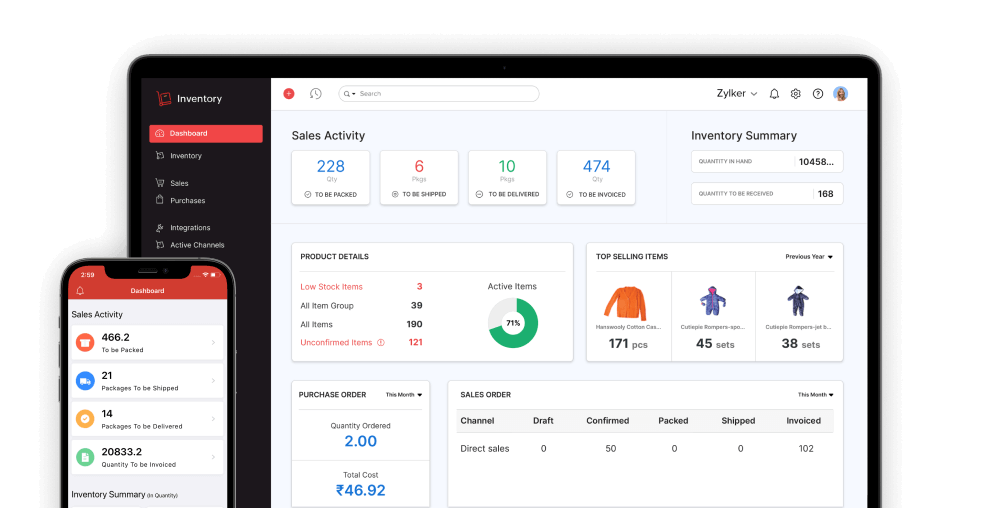
Simplify inventory and order management for your business

  • Inventory Control
  • Warehouse Management
  • Multichannel Selling
  • Order Management
  • End-to-end tracking
  • Mobile app
SIGN UP - IT'S FREE Zoho Inventory Dashboard