

What is remote
video inspection?
Remote video inspection (RVI) is the practice of inspecting equipment, facilities, or work in progress over live video, so assessments and compliance checks happen without anyone traveling to the site. Visual inspection software allows inspectors to run that process from one place, view the site through an on-site worker’s camera, capture photos and video, and record their findings for later review. With technologies like augmented reality (AR), inspectors can view the site as it is without being physically present and use remote communication tools to analyze the working conditions and gather the necessary data.
How to use Zoho Lens as remote video inspection software
Start a Zoho Lens session, invite the on-site worker, and see the site through their camera. From there, you can mark up issues with AR, share regulatory information over chat, and record your observations. The inspection and its record stay together in one session.

Get live visuals of the site
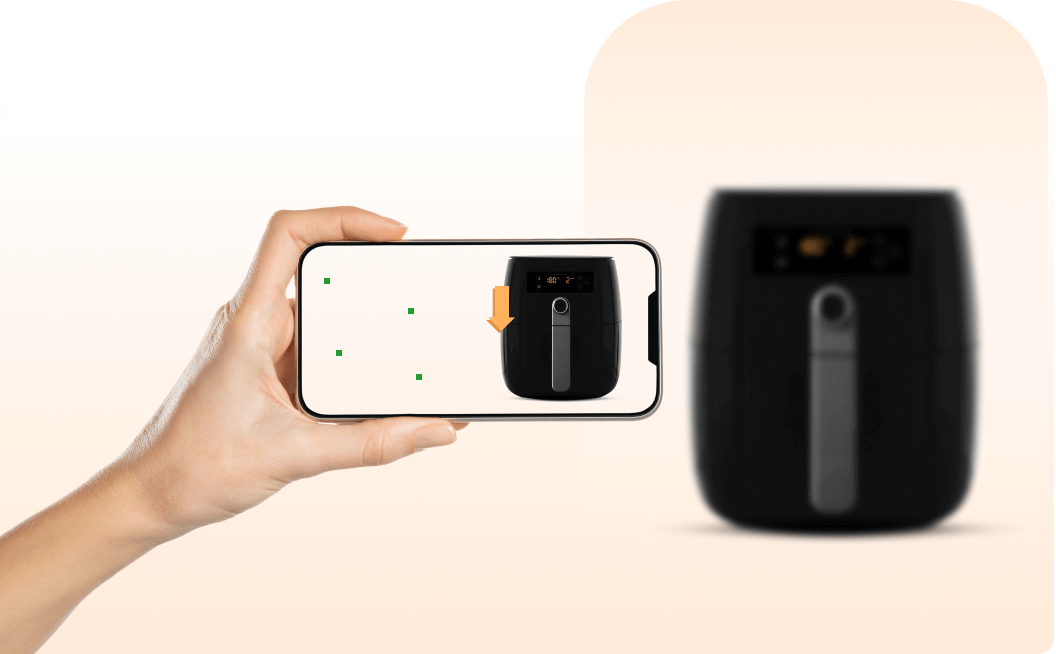
Zoho Lens allows your inspectors and officials to connect with an on-site worker and see the site via live video streaming. Using remote control tools, they can freeze the live stream or zoom in to a specific area of the stream with ease.
Highlight issues with AR tools
By harnessing the power of AR for conducting quality inspections, site inspectors can attach digital elements like text, images, or arrows on the live stream to highlight issues or mark certain areas of the site for further analysis.




Share information on regulatory standards
Zoho Lens, the visual remote assistance software, empowers inspectors to share contextual information with on-site workers on safety, maintenance, or environment regulations and procedures that need to be undertaken through VoIP, chat, and file-sharing tools.
Inspections with photo and video capture for audit-ready records
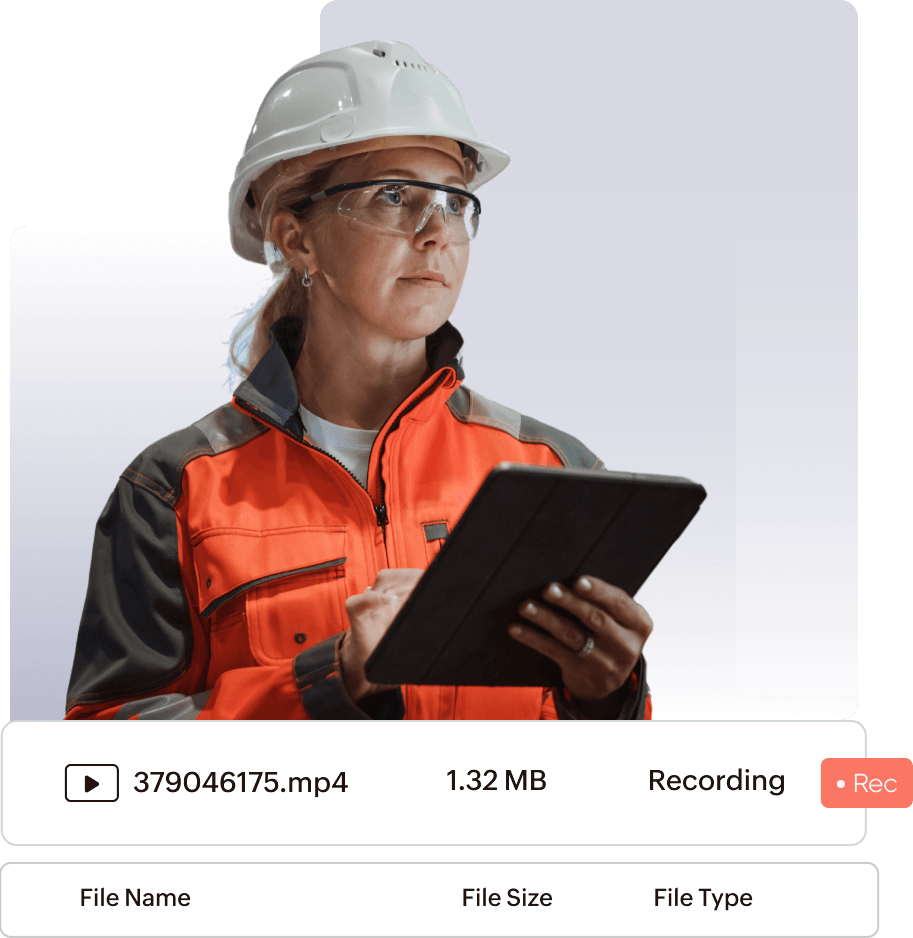
While providing remote visual inspection services, it's essential to maintain a record for later reference and detailed audit. Using live documentation tools in Zoho Lens, inspectors can jot down their observations, capture snapshots of the site, or even record the remote inspection process.

How remote inspection software works
Getting started doesn't have to be complicated. Regardless of the scale of your operations, AR implementation for remote teams follows the same core principle: connect, see, and act. Here's how that plays out in a Zoho Lens inspection session.
To conduct a remote inspection, the inspector should start a session from Zoho Lens and invite the site personnel via email, SMS, or a session link.
Once they join the session, the site worker can share their physical environment via a live camera stream, allowing the inspector to see what they see.
The inspector can provide visual instructions and communicate seamlessly with the on-site crew using in-session tools such as text, chat, and AR capabilities.
Zoho Lens keeps your session notes, snapshots, and recordings after the session ends. Export annotated snapshots and store them with the asset or project record so other departments can review the inspection for audits.
Benefits of remote visual inspection software
Remote visual inspection software helps you cover more sites in a day, keep projects moving, and shorten waiting times for customers. Inspectors spend less time traveling, and approvals no longer wait for the next available visit.
Enhanced productivity and safety
Digital inspection software allows inspectors to cover more sites in a day right from the comfort of their office, reducing travel time and cost while improving their productivity and safety.
Ensured project continuity
Construction projects or assembly processes need to pass multiple inspections before proceeding further. Delays in the inspection process can affect the project completion time, which causes the project to go over the budget. This hurdle can be skipped easily with live inspections.
Improved customer satisfaction
Remote visual inspection services help businesses maintain their quality and standard of field and maintenance services more effectively, contributing to shorter waiting times and enhanced customer satisfaction.
Lower travel and inspection costs
Remote visual inspection software cuts the travel behind each inspection. With Zoho Lens, vehicle costs and hours on the road no longer come with every visit. Inspectors review a site over live video from their desk and mark up issues with AR so the on-site crew knows what to fix, reducing return trips.
Key features of Zoho Lens, the virtual inspection software
Zoho Lens brings live camera streaming, AR tools, chat, and documentation tools into one session. Inspectors can see the site, mark up issues, share files, and record the inspection. Admins can review activity through reports and rebrand the experience.
Live camera streaming
Access the device camera of an on-site worker to get live visuals of their environment on your preferred browser and enhance your digital view with Magnify or Freeze tools.
Advanced chat
Communicate with the on-site crew and share legal documents or forms related to compliance or regulations through file transfer via chat.
Management tools
Set up users, departments, and permissions; organize session files in cloud storage; rebrand with your logo and portal URL; and deploy the app through MDM.
Integrations
Connect Zoho Lens with Zoho Desk, Zoho CRM, Zoho SalesIQ, Zoho Calendar, Zendesk, and Jira. Embed it in your own app with the API and Mobile SDK.
AR collaboration tools
Place visual markers on the live stream, add notes to them, or even take live measurements of remote objects by harnessing the AR capabilities of Zoho Lens.
Photo and video capture documentation tools
Retrieve crucial information about products from QR codes, text, or barcodes, and maintain detailed records of the inspection process. Take snapshots, record sessions, and document product information in session notes.
Multi-technician support
During a virtual site inspection, inspectors can call on other officials outside their department for reviews and approvals.
Digital work instructions
Turn inspection checklists and SOPs into step-by-step digital work instructions. Launch them in or out of a session, open them by scanning a QR code on equipment, and track progress with reports.
Browser-based sessions
Let on-site workers join from a mobile browser with no app installation, which helps when device storage is low or the operating system is outdated.
Geolocation
Request the on-site worker's location in the session to verify the inspection site, then view it in the map app of your choice.
Offline recording
When connectivity drops, workers can record an issue with AR tools without joining a session and share it with the inspector once they're back online.
Self-service portal
Let workers scan a QR code on equipment and submit a service request on the spot, with no app download or sign-up. The request goes to the right specialist and can launch an AR session.
Zia Answer Bot
Type a query during a session and Zia returns steps from your organization's troubleshooting guides, SOPs, and knowledge base articles without interrupting the video.
Session analytics
Admins can view each session's start time, duration, video, title, the related session files, and device details and use custom views to see how inspections are performing.
Security and compliance
Sessions use SSL and 256-bit AES encryption. Zoho Lens is GDPR, HIPAA, and SOC 2 Type II compliant, with action logs to support audits.
Hands-free remote inspections with smart glasses
Zoho Lens works with smart glasses, so on-site workers keep both hands free while the inspector sees the site through their camera and guides them in real time. Choose monocular glasses for instruction-led inspections or binocular glasses and headsets for a more immersive view.
Monocular smart glasses for hands-free inspections
Monocular glasses show information to one eye without blocking the wearer's field of vision, which suits step-by-step, instruction-based inspections. Zoho Lens works seamlessly on RealWear HMT-1, HMT-1Z1, Navigator 500, Navigator 520, Navigator Z1, Vuzix M400, and Vuzix M4000.
Binocular smart glasses and headsets for immersive inspections
Binocular devices show information to both eyes for a sense of depth. Zoho Lens supports Apple Vision Pro; Meta Quest 2, 3, and 3S in 2D and 3D modes; and Epson BT-300, BT-350, BT-45C, and BT-45CS in 2D mode.
Frequently Asked Questions
No-app video inspections are a type of remote inspection process that allows users to conduct or participate in a visual inspection without downloading or installing a separate app. Instead, it directly runs on web-based browsers, where one can schedule a video inspection, send an invite, and allow other participants to join the inspection.
Remote video inspection (RVI) is a way to check the condition of equipment, structures, or work without being on site. An inspector views the site through live video from a worker’s camera. In maintenance, RVI lets teams inspect equipment in hazardous or hard-to-reach areas safely and assess a problem before sending anyone out, which helps reduce downtime. Zoho Lens supports RVI with live video, AR markup, and session recording.
Remote visual inspection (RVI) in maintenance refers to the method of evaluating the physical condition of equipment, structures, or systems without being physically present on site. It makes the inspection of hazardous environments or equipment more safe and accessible while reducing downtime.
While ease of use, cost, and security are no-brainers, you also need to look for remote visual inspection software that offers a holistic package like high-quality visuals, live collaboration and documentation tools, compatibility with existing devices, and customization.
Remote visual inspection is most commonly used in the inspection of challenging environments like inaccessible areas, confined spaces, and high-temperature zones. It can also be used for time-sensitive inspections like examining equipment conditions after an accident or natural disaster, and to ensure regulatory compliance.
Platforms that support underwriting inspections should let you see the risk live, capture photos and video, and keep a record of the session. Look for a simple join link for the policyholder, annotation tools to mark specific areas, and session recording for the file. Zoho Lens offers all of these, so insurance teams can inspect a property remotely and store the findings with the record.
Visual inspection software allows inspectors to assess equipment, facilities, or work in progress through an on-site worker’s camera instead of traveling to the site. Inspectors can view the site live, capture photos and video, and record their findings for later review and audits.
Yes. Zoho Lens is an inspection software with photo and video capture, so inspectors can take snapshots, record the session, and add session notes. These files stay with the session after it ends and can be exported for audits.
Yes. Zoho Lens works with smart glasses software on RealWear, Vuzix, and Epson devices, as well as Apple Vision Pro and Meta Quest headsets, so on-site workers can keep both hands free during a virtual inspection.
Zoho Lens sessions use SSL and 256-bit AES encryption. Zoho Lens is GDPR, HIPAA, and SOC 2 Type II compliant, with action logs to support audits.
Zoho Lens covers the full inspection in one session. Inspectors view the site over live video, mark up issues with AR, capture photos and video, and record notes for audits. Teams can invite other inspectors; run sessions on smartphones, tablets, or smart glasses; and connect Zoho Lens to Zoho Desk, Zoho CRM, Zendesk, or Jira for a unified workflow. Zoho Lens offers a 15-day free trial so you can test it instantly on a real inspection.