- HOME
- CPQ (Configure, Price, Quote)
- CRM, CPQ, and billing: The trinity and other key integrations
CRM, CPQ, and billing: The trinity and other key integrations
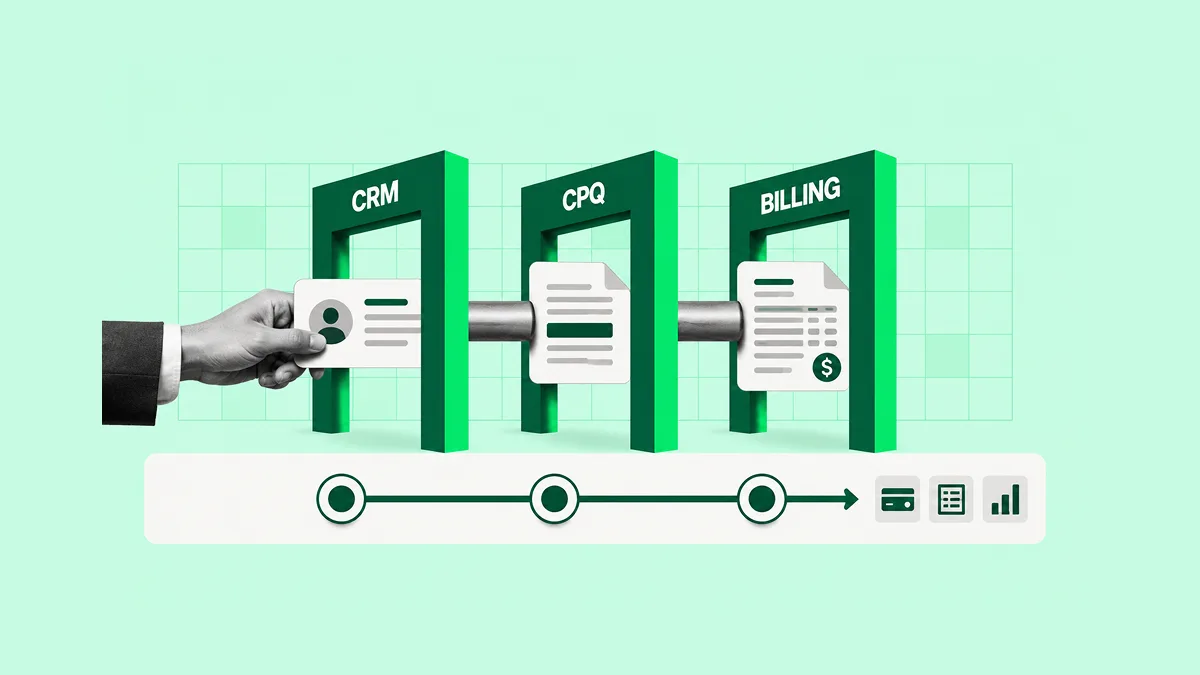
A sales rep closes a deal. The status gets updated in the CRM. The quote was created on a spreadsheet, the contract sits in an email thread, and the finance team creates the invoice based on available data. Each step makes sense on its own. Together they form a sequence of events where every handoff is a place for things to go wrong.
That's why CPQ rarely works alone. It's more of a team player whose value increases depending on what it connects to. Three systems matter the most: CRM, CPQ, and billing. There are also a few other solutions around this ecosystem that make the whole flow smoother.
This article explains where CPQ fits, why each integration matters, and why a CPQ that sits inside a wider ecosystem is the stronger choice.
What is CPQ?
Configure, Price, Quote (CPQ) is software that helps sales teams build and customize accurate quotes. It configures the right product or service combination, prices it using the correct rules, discounts, and terms, and creates a professional quote that is ready to be shared with prospects.
If you would like a deeper look at the concept, read about the basics of CPQ here.
Where does CPQ fit in the organization?
CPQ sits in the middle of the lead-to-cash journey, between the sales conversation and the first invoice.
Lead and opportunity: Sales identifies the prospect and creates a deal in the CRM.
Quote: CPQ takes the requirement and helps the sales rep build a professional quote.
Contract and acceptance: The prospect reviews the quote and accepts it.
Billing: The finance team creates a subscription or invoice based on the quote.
Payment and accounting: The payment is collected, recorded, and recognized as revenue.
In the above sequence, each step provides crucial information for the next. CPQ is the step where sales decisions turn into financial commitments. It is the bridge that converts a prospect to a customer. A discount, a payment term, or a bundle agreed upon here shows up in billing and in the books. If CPQ operates apart from the steps mentioned above, the quote becomes a document that needs to be retyped and the process becomes lengthier and prone to mistakes.
The trinity: CRM, CPQ, and billing
Think of the three as a relay. CRM covers the prospect-to-customer journey, CPQ defines the deal, and billing delivers it. Each handoff should carry the data forward without anyone re-entering it.
CRM and CPQ: From opportunity to quote
Why they need to connect
The CRM holds the prospect's details, the requirement, and the deal stage. If CPQ doesn't have access to this, the reps have to manually enter the information, and the quote may not contain the required information.
How it helps
Quotes are accurate as data is fed from the CRM, rarely needing any manual input.
Deal stage and quote status stay aligned, so managers see a true picture of the pipeline.
No need to switch between tools as data stays in sync across systems.
Customer history, such as past transactions and current plans, helps identify what's next. This is where cross-sell and upsell opportunities come from.
CPQ and billing: From quote to invoice
Why they need to connect
This is the most critical link amongst the three. The quote exists to become an invoice. When CPQ and billing don't talk to each other, finance has to create the invoice manually, and mismatches in price, terms, and discounts could creep in.
How it helps
Pricing and contract terms move from quote to subscription and invoice seamlessly with no need for manual re-entry.
Finance doesn't have to interpret what sales meant, which removes one of the common sources of disputes.
Mid-term changes and renewals follow the original terms.
Finance gets a clear picture from quote to recognized revenue, supporting IFRS 15 and ASC 606 compliance.
This is covered in detail in How enterprises close the gap between quote and invoice.
CRM and billing: One view of the customer
Why they need to connect
It is common for sales and finance to see the same customer differently. The CRM shows the journey of a prospect becoming a customer, while billing shows invoices, subscriptions, and revenue. If the two systems are not connected, nobody has the complete picture.
How it helps
Convert deals and quotes into subscriptions, invoices, and payment requests without manually transferring information.
Customer details and their payment records stay consistent across both systems.
Account managers can see billing status, such as overdue invoices, before a renewal or upsell conversation.
Finance can see which sales contact owns each account.
Other key integrations worth having
The trinity covers the core. These connections extend it and smoothen the process end to end.
Accounting and ERP: Billing data should flow into the books automatically so finance doesn't have to redo invoices. This also helps in revenue reporting.
Payment gateways: Once a customer receives an invoice, they should be able to pay conveniently. The payment gateway helps speed up collection and updates the payment status automatically.
E-signature: Customers can review quotes and sign contracts digitally. This cuts short deal movement time.
Support and helpdesk: When support agents get a view of a customer's plan and billing details, they can resolve their queries faster and give them a good experience.
Inventory: For businesses that sell physical goods, linking quotes and invoices to stock data prevents selling what isn't available.
Analytics: Reports that combine deals, quotes, invoices, and payments unlock valuable insights that can help understand user behavior.
Team communication: Real-time alerts about approvals, accepted quotes, or failed payments keep the right people informed so they can act on them without any delays.
The question to ask when choosing a CPQ isn't just "what can it do?" but "how well does it connect to the rest of how we work?"
How does Zoho Billing fit into all of this?
Zoho Billing is built to sit inside a connected ecosystem, with CPQ built directly into the billing engine. The entire process of quote-to-cash is covered within the system. Here's how it supports the trinity and the integrations around it.
Zoho CRM: Zoho Billing connects with Zoho CRM so you can manage billing transactions related to customers within your CRM account and keep a holistic view of customer information.
CPQ and billing in one system: The pricing and contract terms agreed upon at the quote stage carry through to the subscription and invoice, with no re-entry required.
Zoho Books: Billing transactions can sync with Zoho Books, giving finance a clear view of accounting and financials.
Zoho Sign: Customers can digitally sign financial documents within Zoho Billing for paperless workflows.
Zoho Desk: Billing-related data is available inside Zoho Desk, so support teams get context for customer conversations.
Zoho Inventory, Zoho Analytics, and Zoho Cliq: These extend the setup with stock data, custom reports, and team notifications about subscriptions and payments.
Payment gateways and other apps: Zoho Billing connects with a range of payment gateways enabling you to fasten your payment collections.
Approvals you control: The business decides what falls within standard limits and what needs sign-off, and the system works within those rules.
A full audit trail: Every pricing decision, from a discount override to a bundle configuration, is logged and traceable to the rule or approval that allowed it.
Want to see how it works? Explore CPQ in Zoho Billing or schedule a demo with us.
Frequently asked questions (FAQ)
It's the three core systems in the lead-to-cash journey. The CRM manages customers and opportunities, CPQ creates accurate quotes, and billing turns accepted quotes into invoices and collects the payment. When all three share data, nothing needs to be re-entered between steps.
Quotes are built from the account and opportunity already in the CRM. This saves time, keeps deal stages aligned with quote status, and gives everyone a reliable view of the pipeline.
The quote exists to produce a correct invoice. A connected system carries pricing, terms, and add-ons straight into billing, which avoids mismatches and disputes and makes revenue recognition easier.
What other tools should CPQ connect to?
Common ones include accounting software, payment gateways, e-signature tools, helpdesk software, inventory systems, and analytics. The right mix depends on how your business sells and collects.
It can work for small teams with simple deals. As pricing gets complex and more systems are involved, the manual handoffs become costly, and a connected setup usually pays off.
Yes. Zoho Billing connects with Zoho CRM so you can manage billing transactions related to customers within your CRM account.
Yes. Since CPQ is built directly into the Zoho Billing engine, the pricing and contract terms agreed at the quote stage carry through to the subscription and invoice, with no manual re-entry.