
AI Preferences


AI Preferences in Zoho Payments helps you manage how AI agents interact with your account. It lets you manage access to your account data, helping you use AI in your payment workflows while keeping your data secure.
Configure MCP Client Access
The Model Context Protocol (MCP) server allows AI agents to securely connect to your Zoho Payments account. MCP client access lets an AI agent work with your account based on the operations you select, which include reading data and creating or updating records. This access is disabled by default and must be enabled before you connect an AI agent.
Note: Only users with the Admin or Account Owner roles can modify AI Preferences.
To configure MCP client access:
-
Go to Settings and select AI Preferences.
-
Turn on the Allow Access toggle under MCP Client Access.
-
Select the operations that MCP clients are permitted to perform:
- MCP Read: Allows MCP clients to view and retrieve payment, payment link, customer, payout, and refund details. This is enabled by default and cannot be edited.
- MCP Create/Update: Allows MCP clients to create and update payment links, create customers and payment sessions, and create refunds. Select this only when you need AI agents to take actions on your account. If it is not selected, MCP clients can only view and retrieve details.
-
Click Save.
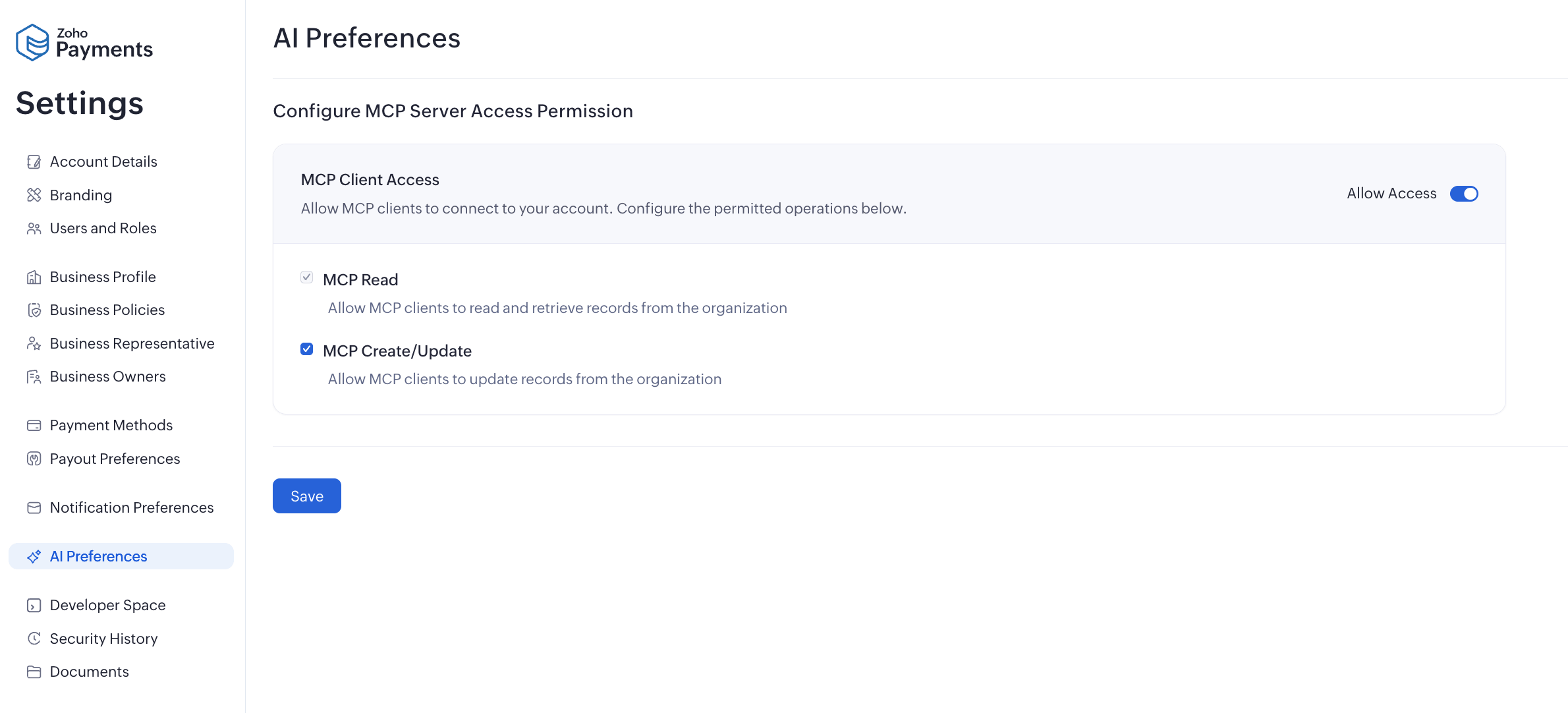
MCP clients can now connect to your account and perform only the operations you permit. To revoke access, turn off the Allow Access toggle and click Save.

 Walkthrough of Zoho Payments personalized to your business needs